
Universities and simulation centres
More practical skills practice for every student, without more lab hours
Medical, nursing and allied-health programmes need students to repeat practical skills and clinical conversations many times before assessment. Simfinity helps simulation centres extend practice beyond scheduled lab sessions and run immersive sessions for whole cohorts.
Typically for: Simulation centre leads, clinical skills faculty, programme directors and education technology teams.
What teams like yours tell us they need
Repetition at cohort scale
Lab time and faculty supervision limit how often each student can practise a skill. Guided practice stations and VR sessions let students repeat steps between supervised sessions.
Consistent scenarios across tutors
Scenario content is defined once and delivered the same way to every group, so students get comparable practice regardless of who runs the session.
Running many headsets in one room
Faculty need to start, monitor and stop sessions on a classroom of devices without technical staff in the room.
Fitting the existing curriculum
Content is scoped with your faculty around the skills and learning outcomes you already teach, rather than a fixed off-the-shelf catalogue.
How Simfinity fits
- SimRoom
Practice stations where students work through a procedure with real equipment, guided step by step by voice and camera.
- VR training
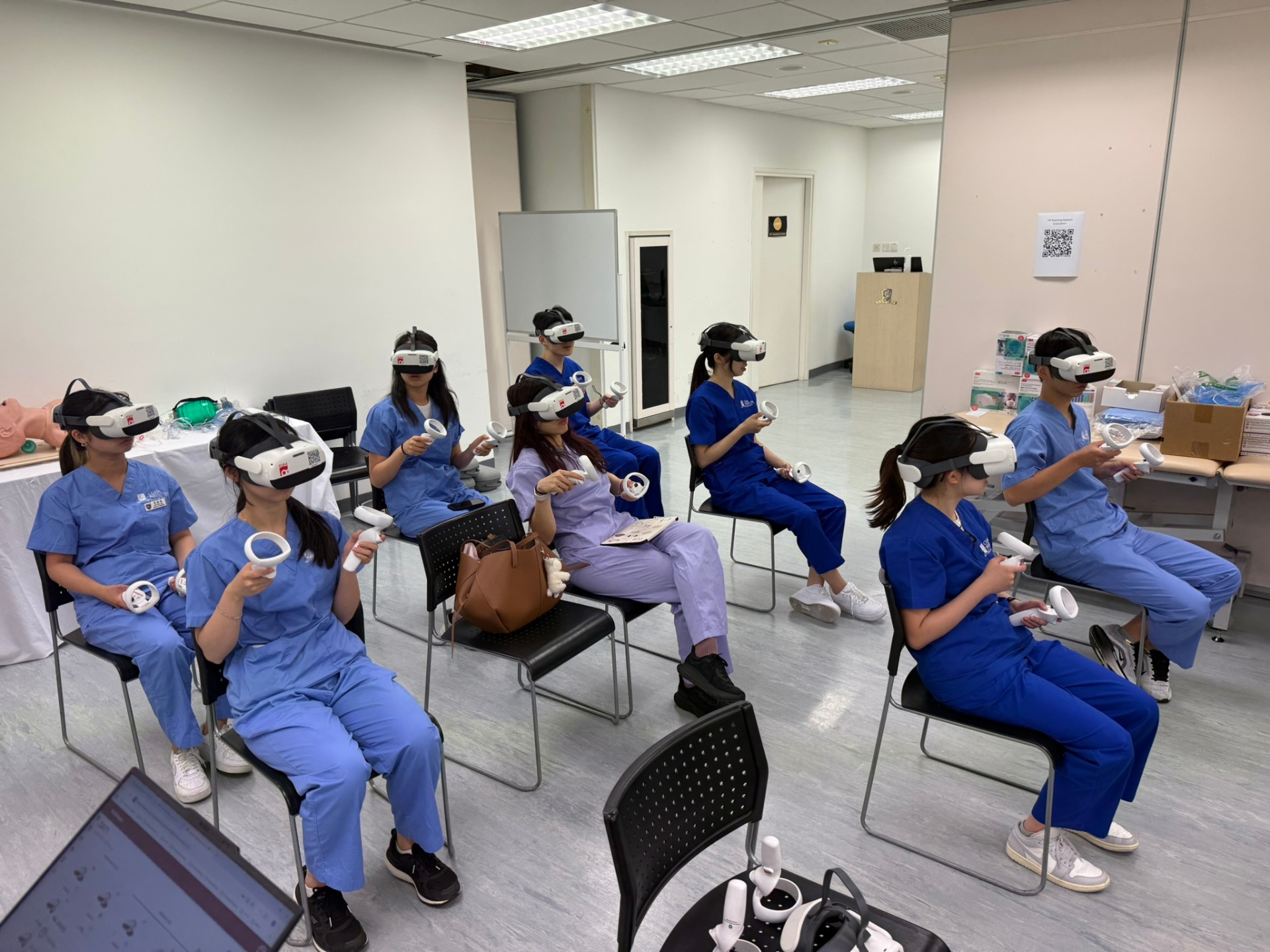
Immersive modules run for a full class at the same time.
- SimCloud
A console for faculty to manage supported devices, content and who has access to it.
- Simpelo
Conversational practice with virtual patients for history-taking and communication.
Typical equipment
- Standalone VR headsets (supplied by you or sourced as part of the project)
- A tablet or laptop for the facilitator console
- For SimRoom stations: a camera, microphone/speaker and screen alongside your existing skills equipment
- Wi-Fi network in the training room
Exact requirements are confirmed during scoping.
Experience
The Chinese University of Hong Kong (CUHK). Simfinity has worked with CUHK on clinical education and practical skills training, including VR workshop sessions managed through SimCloud.
Useful to know before we talk
- Which skills or modules would you like to start with?
- How many students per session, and how many sessions per term?
- What equipment does your simulation centre already have?
How a project starts
From first conversation to a pilot with your learners
- 01
Discovery call
We discuss your learners, the skills you want to train and the equipment and space you have.
- 02
Scope
We agree objectives, content, devices and the data and IT requirements for your organisation.
- 03
Pilot
A defined group of learners uses the training, with your educators involved throughout.
- 04
Review and decide
We review the pilot together and decide whether and how to extend it.
Availability: every project is scoped individually. Tell us where your learners are based and we will confirm what we can deliver and when.
Contact
Tell us about your training project
A short description is enough to start: who your learners are and what they need to practise. We reply by email to arrange a first call.
Or email get@simfinity.io